| Standard |
| PDE Instructional Technology Specialist Competencies |
| Standard Used For Infographic |
| I.A. Identification, selection, installation, and maintenance of technology infrastructure, and hardware and software applications for school administration and instruction including: |
| Indicator Item |
| Design and production of media including projected and non-projected visual aids, audio and video production in both analog and digital forms, and photography using film-based and digital formats |
| Artifact |
| Enhancing Digital Image 2 |
| Description |
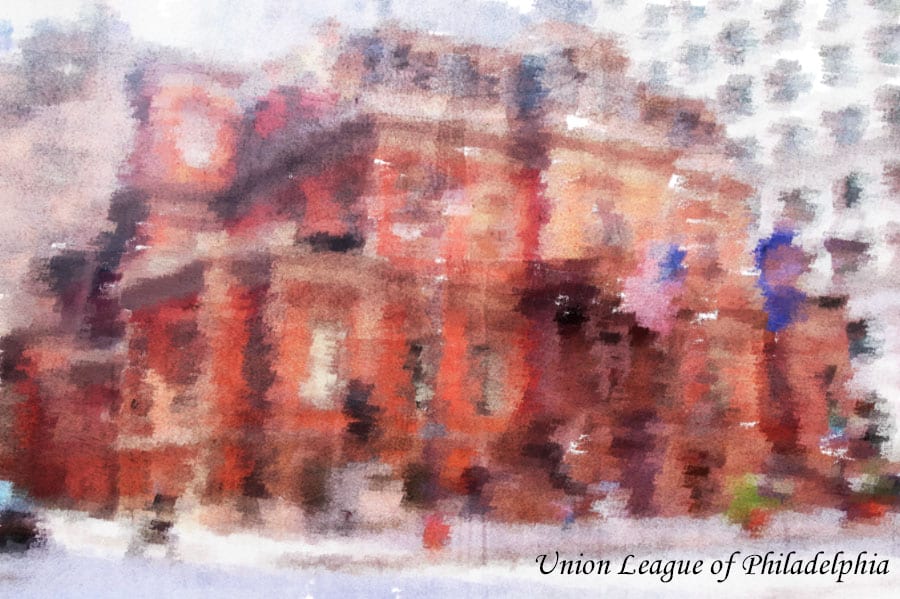
I took GILT 521: Digital Imagery for Teachers with Dr. Heo in the fall semester of 2018. This was an online master’s course offered by Duquesne University. According to the GITL 521 syllabus, the course focuses on various uses of multimedia for enhancing course material. As a graded class assignment in week 7, I was asked to create a digital painting using Photoshop. I had to conform to the following requirement.
- Create a digital painting using the Paint Brush, Art History Brush, or Pattern Stamp Tool with its associated presets
|
| Reflection |
| I decided to enhance an image of the Union League of Philadelphia. The Union League of Philadelphia is one of the most famous and historical buildings in Philadelphia. Also, it’s where I was married in 2013. The digital image resolution is 300 ppi and the color mode is RGB since this will be printed and displayed on a wall as art.
I used the Art History Brush tool with the Chalk 1 brush with a size of 25. The style I chose was Dab, the area was 2px, and the tolerance was 0. I created a blank canvas layer and filled the color with white. Also, I added an adjustment layer and selected a pattern. I used a concrete texture as my pattern to give my creation the look of sidewalk chalk art. I created an overlay on the pattern layer and adjusted the scale to 133%. In addition, I added a text layer and labeled the painting using a cursive script font.
This was my first time using Photoshop to create a painting effect. I enjoyed this Photoshop assignment and I can envision using this technique in the future. |
|
|
